
 Posted by
- Why Do Remote Personal Training Clients Struggle With Consistency?
- How Does Personal Trainer Software Keep Remote Clients Accountable?
- Which Features Should You Prioritize in Online Personal Training Software?
- How Can Fitness Coaching Software Improve Communication?
- Should You Use Existing Software or Build a Custom Fitness App?
- What Should You Do First to Keep Remote Clients on Track?
- Build a Better Remote Coaching Experience With the Right Technology
- Frequently Asked Questions
- 1. What is personal trainer software used for?
- 2. How does online personal training software track client progress?
- 3. Can a workout tracking app help improve client retention?
- 4. What is the difference between fitness coaching software and a workout tracking app?
- 5. Should personal trainers build a custom fitness coaching app?
- 6. Is personal trainer software suitable for US clients?
A client signs up for your online training program, completes the first few workouts, and then starts missing sessions. Their progress updates stop, messages go unanswered, and by the next check-in, you’re trying to work out whether they’re struggling with the program or have simply lost momentum. If you coach clients remotely, this situation can quickly become a retention problem.
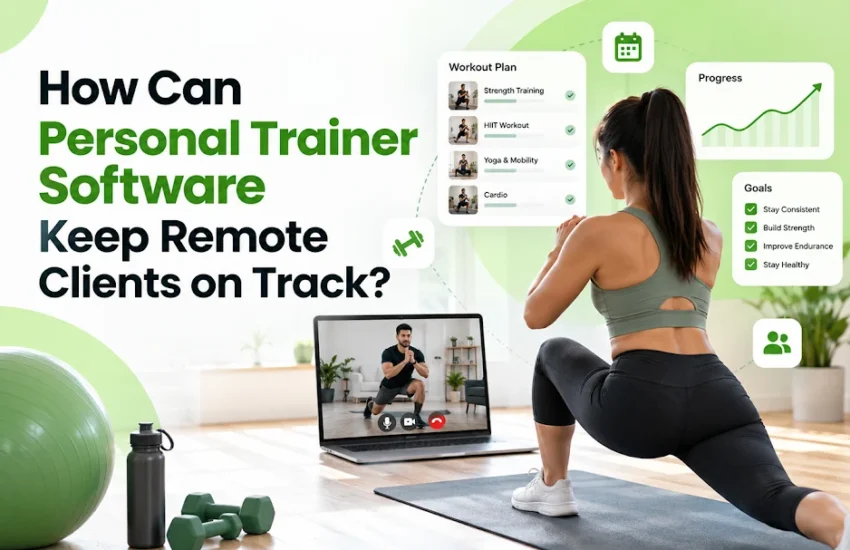
Personal trainer software helps keep remote clients on track by combining workout plans, progress tracking, automated reminders, client check-ins, and direct communication in one place. Instead of relying on scattered text messages and spreadsheets, you can see who has completed their sessions, identify missed workouts, adjust training plans, and provide timely support. The right system makes accountability part of your coaching process without making every client feel monitored.
Why Do Remote Personal Training Clients Struggle With Consistency?
Remote clients often struggle because they don’t have the structure of an in-person appointment. A busy workday, unclear exercise instructions, or a missed reminder can interrupt their routine. Personal trainer software gives clients a clear plan to follow while helping you identify problems before they become long periods of inactivity.
For example, a client balancing a full-time job and family commitments may intend to complete four workouts each week but manage only two. Without reliable tracking, you might discover the problem at the end of the month. With a shared training dashboard, you can spot the pattern earlier and adjust the schedule to three realistic sessions.
The goal isn’t to pressure clients into completing every assigned workout. It’s to understand what’s preventing consistency and respond with appropriate coaching.
How Does Personal Trainer Software Keep Remote Clients Accountable?
Personal trainer software creates a shared record of assigned workouts, completed sessions, progress updates, and communication. It helps you replace reactive follow-ups with a repeatable coaching workflow.
1. Can workout tracking help clients stick to their plans?
A workout tracking app lets clients view their assigned exercises, record sets and repetitions, enter weights, and mark sessions as complete. Depending on the platform, they may also access exercise demonstrations, rest timers, and trainer instructions.
This record helps you distinguish between a client who is following the program and one who needs a different approach. If someone repeatedly skips a particular workout, you can ask whether the session is too long, the exercises are uncomfortable, or the timing is impractical.
A useful feature is the ability to reuse workout templates while adjusting them for individual clients. You save programming time without assuming everyone needs the same routine.
2. How do automated reminders reduce missed workouts?
Automated reminders prompt clients about scheduled workouts, upcoming check-ins, or incomplete tasks. They reduce the need to send individual messages throughout the day.
However, more notifications don’t necessarily mean better adherence. Start with reminders tied to a client’s chosen training schedule, then adjust their timing based on actual engagement. Repeated alerts can become background noise, especially for clients who already receive notifications from several fitness and productivity apps.
3. How can progress dashboards improve motivation?
Progress dashboards make changes visible over time. Depending on the software, you can track workout completion, strength progression, measurements, attendance, and client-reported energy or recovery.
Choose metrics that match the client’s goal. Someone training for strength may benefit more from seeing a consistent increase in working weights than from checking body weight every morning. A client returning to exercise after a long break may need to focus on completing scheduled sessions before pursuing performance targets.
MMF Infotech’s guide to fitness and wellness app features explores personalized plans, wearable integrations, and progress dashboards that can support this type of digital experience.
Which Features Should You Prioritize in Online Personal Training Software?
The best online personal training software is the one that supports your coaching workflow and makes the next action clear for both you and your client. Before paying for advanced features, establish whether the platform can reliably handle these essentials.
| Feature | How it supports remote coaching |
|---|---|
| Workout programming | Delivers personalized routines and exercise instructions |
| Progress tracking | Records completed sessions and relevant performance metrics |
| Automated reminders | Prompts clients about workouts and check-ins |
| Client messaging | Keeps questions and coaching feedback organized |
| Scheduling | Manages virtual sessions and appointments |
| Client dashboard | Shows goals, assigned tasks, and progress |
| Reports and alerts | Highlights missed sessions and clients needing attention |
Why is personal trainer client management more than storing contact details?
Personal trainer client management connects each client’s goals, training history, schedule, feedback, and follow-up actions. It gives you context before you send a message or change a program.
For example, a missed workout means something different for a client who has missed three sessions in a row than for someone who usually trains consistently and missed one session because of travel. A good system helps you see that distinction instead of treating every missed workout as a failure.
Prioritize a clear list of clients who need attention. A sophisticated analytics dashboard is less useful if it doesn’t tell you whom to contact today and why.
How Can Fitness Coaching Software Improve Communication?
Fitness coaching software provides a consistent place to share instructions, answer questions, and review feedback between scheduled sessions. This matters because remote coaching depends on communication that is timely enough to help but structured enough to remain manageable.
Consider a client who reports that a prescribed exercise feels uncomfortable. A clear messaging workflow lets them send a question, and you can review the exercise, provide appropriate modifications, or recommend an in-person assessment when necessary. You avoid losing important context in a long conversation mixed with unrelated messages.
Set expectations early. Tell clients when you normally respond, which issues require a scheduled consultation, and how they should report urgent concerns. Software can organize communication, but it cannot replace professional judgment or provide emergency care.
Should You Use Existing Software or Build a Custom Fitness App?
Off-the-shelf software is usually the sensible starting point for independent trainers who need standard workout delivery, scheduling, and messaging. A custom application becomes worth considering when your business needs workflows, integrations, branding, or client experiences that existing platforms cannot support adequately.
For example, a coaching business with a small client base may work perfectly well with a subscription platform. A growing fitness brand offering group programs, wearable integrations, nutrition tracking, and memberships may need more control over how these services work together.
A custom build also brings trade-offs: development costs, ongoing maintenance, app-store requirements, security responsibilities, and the need to test integrations as operating systems change.
If you’re evaluating a branded solution, explore next-gen wellness app development. MMF Infotech’s offering covers capabilities relevant to personal trainers, including scheduling, digital workout delivery, progress dashboards, client communication, and payments.
Where do AI, wearables, and NFC fit into a fitness platform?
AI can help summarize activity patterns or suggest relevant content, while wearable integrations can reduce manual entry for supported metrics. Neither should be treated as a substitute for verified data or professional coaching decisions.
NFC, or near-field communication, allows compatible devices to exchange information over a short distance. In a fitness business, it might support a tap-based check-in at a studio or identify a member at a designated point. It isn’t necessary for most remote coaching workflows, so add it only when it solves a specific operational problem.
For a broader view of these technology choices, see MMF Infotech’s article on AI, wearables, personalization, and secure wellness app development.
What Should You Do First to Keep Remote Clients on Track?
Start with a simple accountability process before adding advanced automation. A clear weekly routine is easier to measure, explain, and improve than a system packed with features clients rarely use.
- Set individual targets. Agree on a realistic weekly workout schedule, a primary goal, and the progress measures that matter.
- Assign workouts with clear instructions. Include exercise demonstrations, sets, repetitions, and relevant modifications.
- Schedule reminders and check-ins. Use a consistent weekly check-in and reminders that match each client’s routine.
- Review missed sessions. Look for repeated patterns and ask clients about barriers before changing their plan.
- Adjust the program. Modify the schedule, exercise selection, or workload when the client’s circumstances or feedback justify it.
- Review progress regularly. Compare relevant measures over time and agree on the next achievable target.
For a practical starting point, test this process with a small group of clients over four weeks. Track workout completion, check-in response rates, and recurring reasons for missed sessions. These are operational measures, not guaranteed indicators of long-term retention. Use the findings to decide which software features deserve further investment.
Build a Better Remote Coaching Experience With the Right Technology
Remote coaching works best when clients know what to do next and trainers can identify where support is needed. Personal trainer software provides the structure for workout delivery, progress monitoring, communication, and consistent follow-ups. The real value comes from matching those tools to a coaching process that clients can realistically maintain.
If your current workflow relies on spreadsheets, scattered messages, and manual reminders, consider whether a dedicated platform or custom fitness application would better support your business. MMF Infotech offers wellness app development solutions for businesses planning connected digital experiences. Review your essential requirements first, then discuss a solution that fits your clients, operating model, and growth plans.
Frequently Asked Questions
1. What is personal trainer software used for?
Personal trainer software helps fitness professionals create workout programs, manage client profiles, monitor progress, schedule sessions, and communicate with remote clients. Depending on the platform, it can also support payments, automated reminders, nutrition tracking, and reporting. The exact capabilities vary, so compare features against your coaching workflow before choosing a solution.
2. How does online personal training software track client progress?
Online personal training software can record completed workouts, sets, repetitions, weights, measurements, attendance, and client feedback. Some platforms also integrate with supported wearable devices. Progress tracking depends on the information clients enter and the integrations available, so trainers should verify important data rather than assuming every metric is collected automatically.
3. Can a workout tracking app help improve client retention?
A workout tracking app can support retention by making routines easier to follow and helping trainers identify missed sessions or declining engagement. It cannot guarantee that clients will renew their memberships. Retention also depends on coaching quality, realistic goals, communication, pricing, and whether clients feel the program meets their needs.
4. What is the difference between fitness coaching software and a workout tracking app?
Fitness coaching software typically supports a broader workflow, including client management, personalized programming, messaging, scheduling, and progress reviews. A workout tracking app may focus primarily on recording exercises and performance. Some products combine both, so check whether the platform supports trainer-client collaboration rather than individual tracking alone.
5. Should personal trainers build a custom fitness coaching app?
A custom fitness coaching app may suit established businesses that need branded experiences, specialized integrations, subscription models, or workflows unavailable in existing products. Independent trainers may find a subscription platform more affordable and faster to deploy. Compare initial costs, maintenance, scalability, data ownership, and integration requirements before committing to custom development.
6. Is personal trainer software suitable for US clients?
Yes. Personal trainer software can support US-based remote coaching through mobile access, workout delivery, scheduling, and digital communication. If the platform collects health-related information, review its privacy controls, data-sharing practices, and applicable legal obligations. HIPAA does not automatically apply to every consumer fitness app; applicability depends on the organization and the information it handles.